Wednesday, 18 June 2014

Unit 2 - Task 3

Security virus protection
Antivirus software is what is used to protect devices against viruses and malware getting on them. There are a range of malicious things that can get onto the device, such as trojan horses. Having these also can improve computer performance as it clears junk files that can slow down the running.


Firewall
A firewall is a barrier that is erected between a connection and trusted computers. The wall is in the middle of these and this can halt an unrecognised connection from successfully completing connection. It acts like a sieve allowing trusted details through but then stops untrusted files in case they are a threat.


Clean up tools for removal of cookies 
A cookie is a stored piece of information from the user's browser and it remembers what you have done previously to make the experience more personal. Each time the user returns to the page the cookie details are sent to the server to have the previous details returned, such as, recently viewed items on a shopping site. To remove them there are windows essential programs that can remove the cookies or there are software to do this. Removing them reduces the files saved so can speed up the computer running.

Drive formatting
This is the removal of all the data that has been added since purchase as it restores it to factory settings. This can be beneficial if there is a virus or to rid the hard drive of excess clutter and there is no need to keep anything, unless it is stored externally. This improves performance as it takes it back to basics and can also remove the virus.


Unit 2 - Task 2


Monday, 16 June 2014

Unit 28 - M2

Navigation
With the inclusion of buttons my web pages were able to be negotiated around quickly and easily. I chose to create my buttons by going onto Fireworks and making the image on there, then putting it onto Dreamweaver where the link to the image was set up. This makes it look more professional and is better for the user as they can move to which ever page they want to quickly.

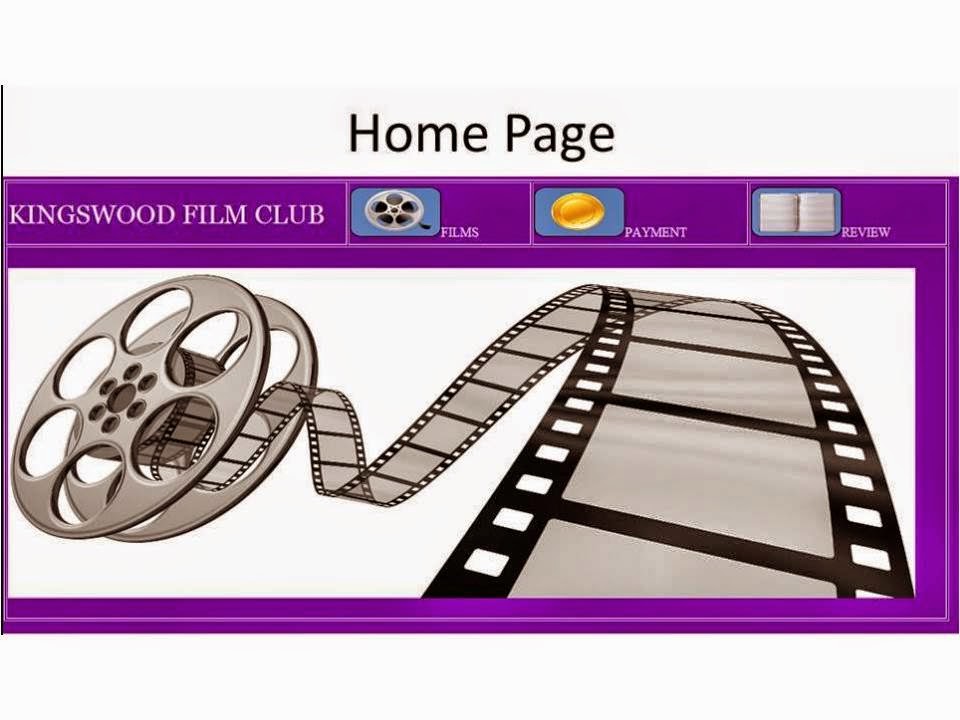
The three squares at the top are used to navigate between the pages, the images used are symbolic of the page they take you to so they user knows what is what and on the homepage it is wrote next to them for clarity. 


HTML Form
By adding a HTML form the users were able to see what films were on offer and decide which they would like to watch. I created a form by using what I had already learned in previous tasks. I also added text fields and this allows the users to put in the relevant information. The forms were included to allow the user to easily fill in information and in the payment page it allows them to enter vital data, the layout is important for this as if it looks low quality then the user might be worried about entering that data. With the HTML form it ensures the visual layout is good enough.

Videos
As this was a film club I decided that adding the film trailers would be beneficial. This means that the users can get prior knowledge about the film and so can decide if it is the one they want to watch next. I embedded the videos from YouTube.

W3C
Due to there being a vast range of browsers used in today's world, I made sure that my website worked on all of them. I tested it on Chrome and Firefox and it worked well.

Friday, 23 May 2014

Unit 28 - P4


This is the payment page that has to be completed to purchase a film.

On the left is the example of a review. On the right is the review slip that has to be completed.